Signing up to Binance takes five minutes, and most of that is spent waiting for the email with the code. The hard part is not the form itself — it is what starts right after it: the exchange will not let you use the account until you confirm your identity. Almost no walkthrough mentions this, so people abandon the sign-up halfway through, simply because they did not expect to need a document.
This chapter goes all the way: from an empty form to the verification screen. Later in the guide come account security, funding, and your first spot trade.
What you will need
- An email address you can open right now. The code arrives there, and the same address becomes your login. A disposable inbox will not do: account recovery goes through it, and losing it means losing the account.
- An identity document — a passport, an ID card, or a residence permit. You will need it at the last step, not at the beginning, but it is worth having it at hand.
- A phone with a camera — for the selfie during verification.
There is no separate "choose a username" step here: your email is your login.
Step 1. Open the sign-up form
The Binance sign-up page asks for one thing on the first screen: your email address. There is no password field yet — that comes two steps later.
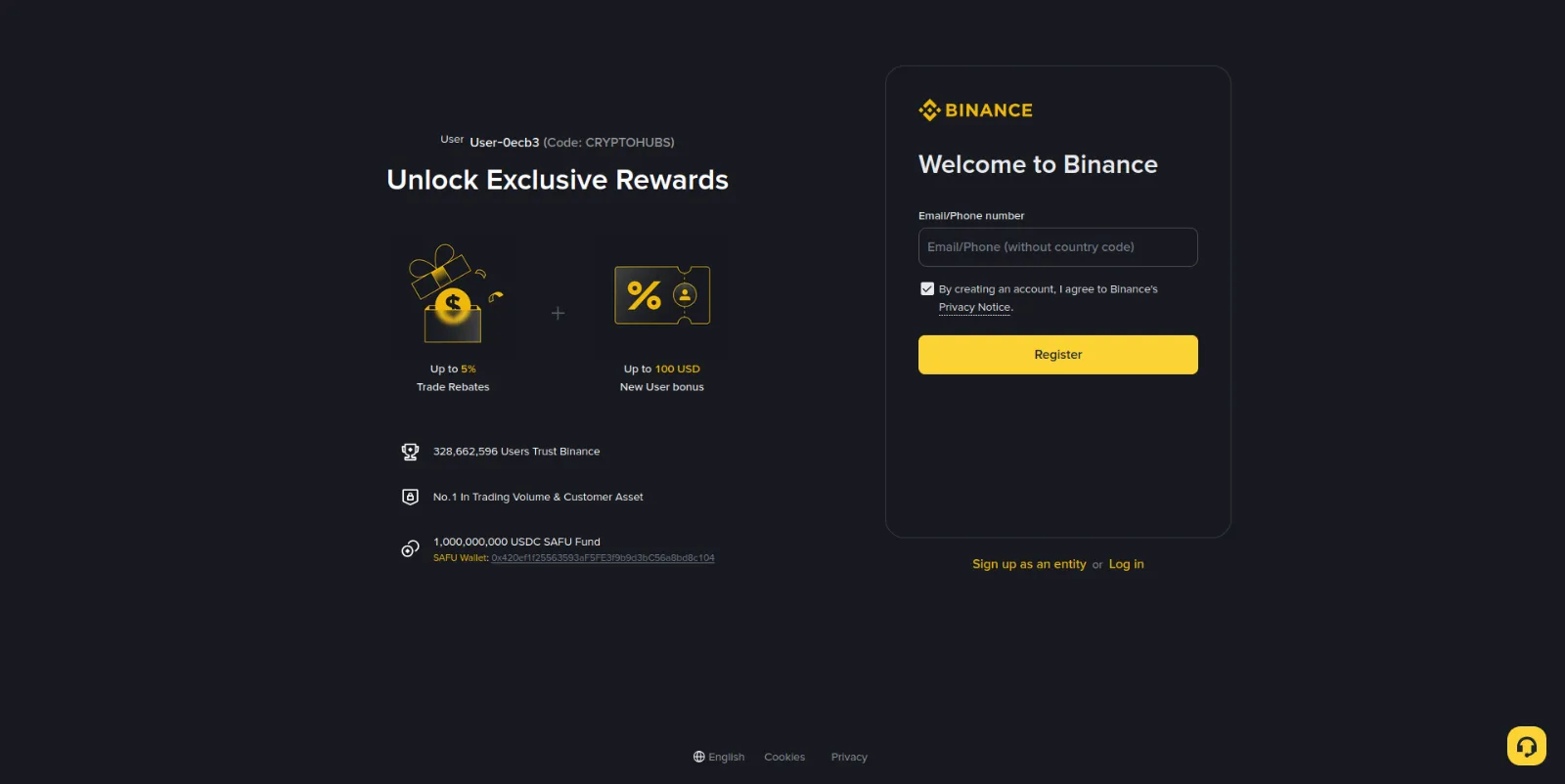
Before typing anything, look at the address bar. The domain has to belong to
the exchange: binance.com, or a regional entry point such as binanceuz.co,
which is the one you see in the screenshots throughout this guide. Fake copies
of the exchange look exactly the same; the address is the only thing that gives
them away. Check it before you type your email, not after — on a fake form
the very first character you enter goes to the wrong place.
On the left of the screen you can see the referral block — Code: CRYPTOHUBS
in the screenshot. It appears when you arrive through a link that carries a
code, and it means the newcomer bonuses have been attached to your account.
If the block is missing, the code did not apply: go back through the link and
start again — once the account is created, the code can no longer be added.
Enter your email, accept the privacy notice, and press Register.
Step 2. Confirm your email
The exchange sends a six-digit code and gives you a limited time to enter it — the screen tells you exactly how long.
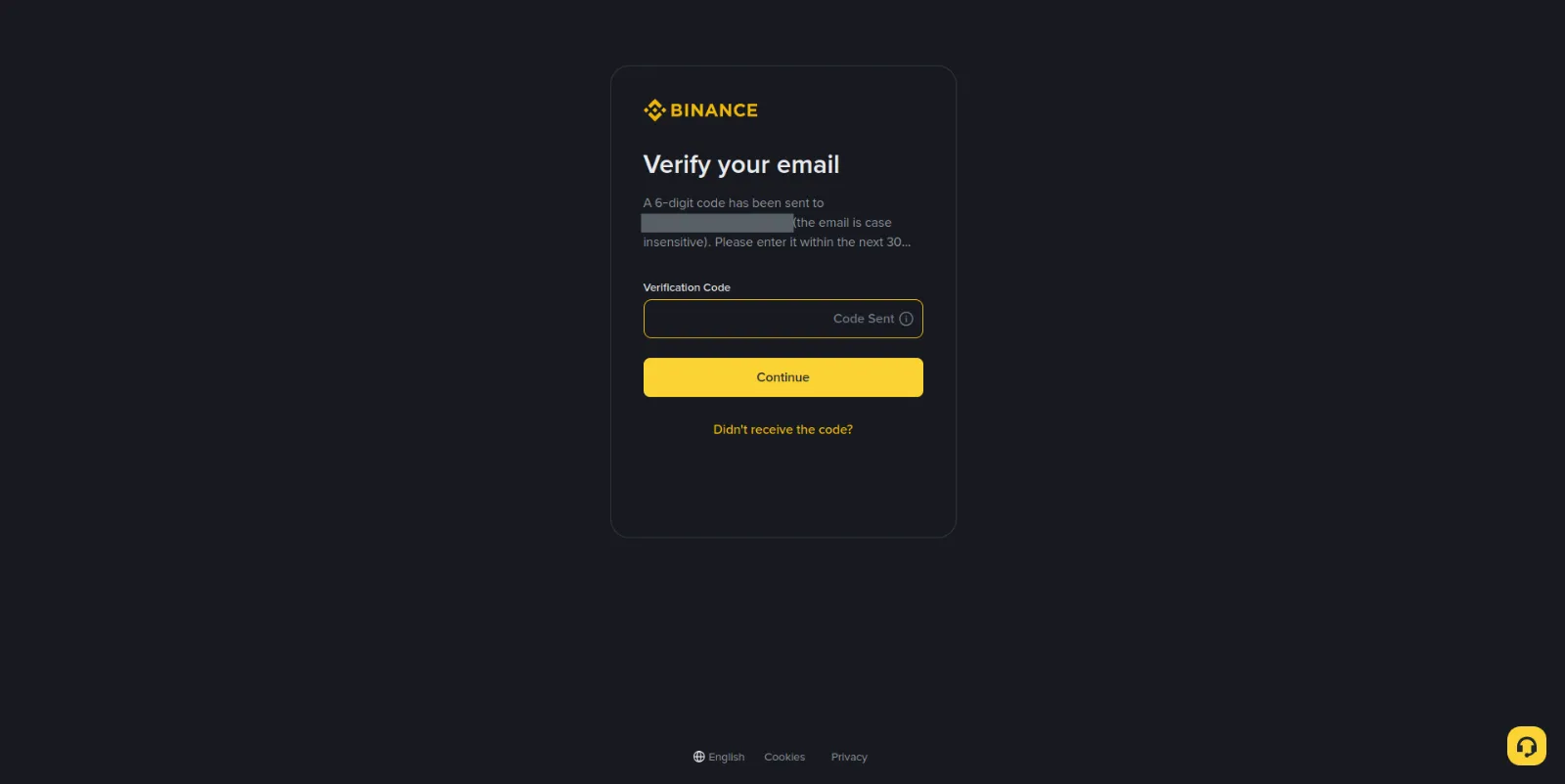
The letter arrives within seconds. If it does not, check the spam folder and make sure there is no typo in the address: mail sent to an inbox that does not exist simply disappears, and the form shows no error at all. The Didn't receive the code? button sends a new one, and using it is normal, not a sign that something is broken.
The code works once. If it expires, entering the same digits again will not help — you need a new one.
Step 3. Choose a password
The password is only requested after the email has been confirmed. The exchange shows its requirements right under the field: 8 to 128 characters, at least one digit and one upper-case letter.
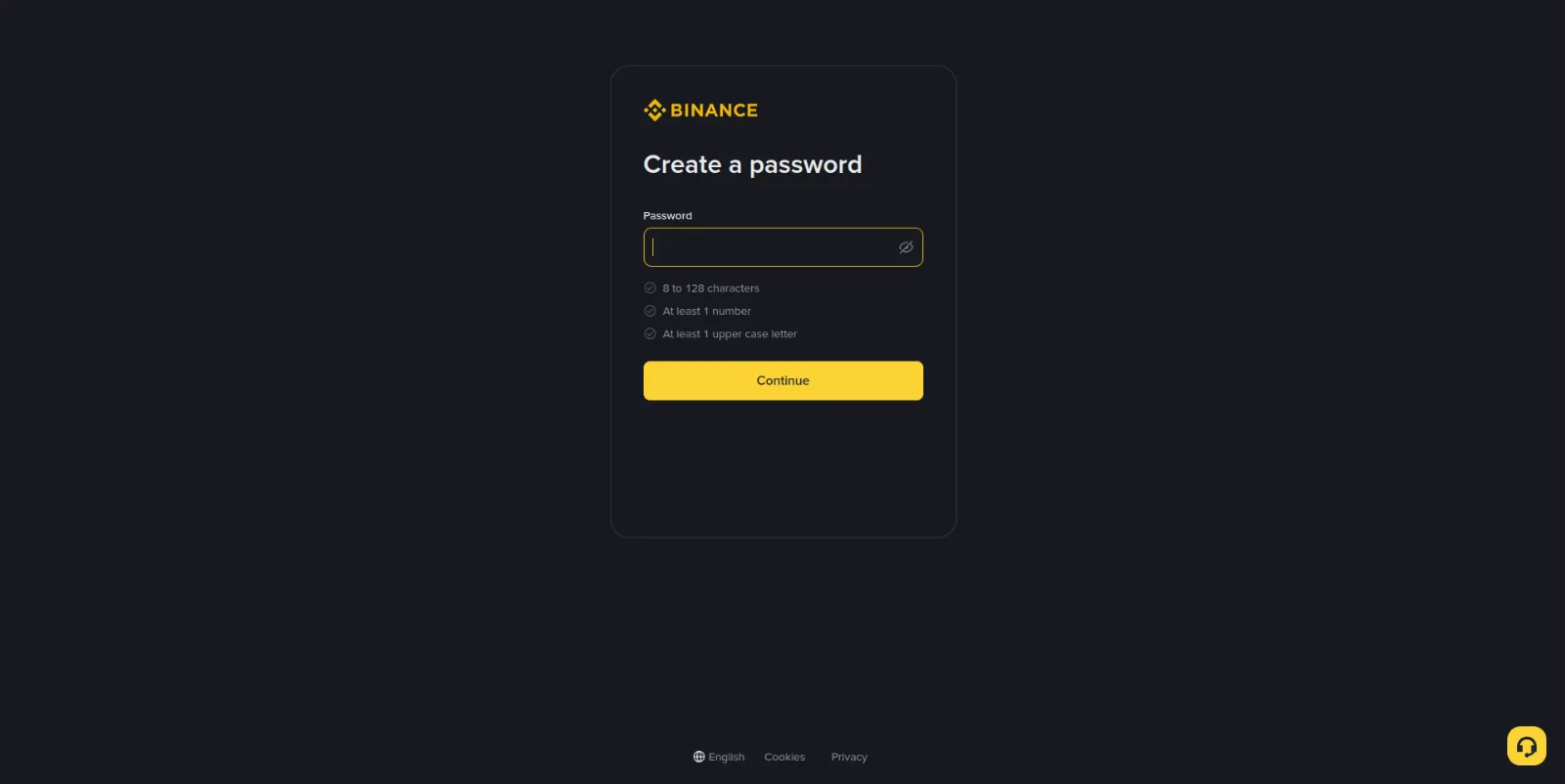
Treat those requirements as the lower bound rather than as advice. A password that passes the check but repeats the one guarding your email — or any other service — protects the account exactly until the first breach somewhere else. And breaches happen to them, not to you. An exchange password should be unique and long enough that it cannot be guessed.
Keep it in a password manager rather than in the notes app on your phone.
Step 4. The verification you cannot skip
Right after the password, the exchange takes you to the verification screen. This is not an offer and not a "later" step: until your identity is confirmed, there is no way to fund the account and nothing to trade with.
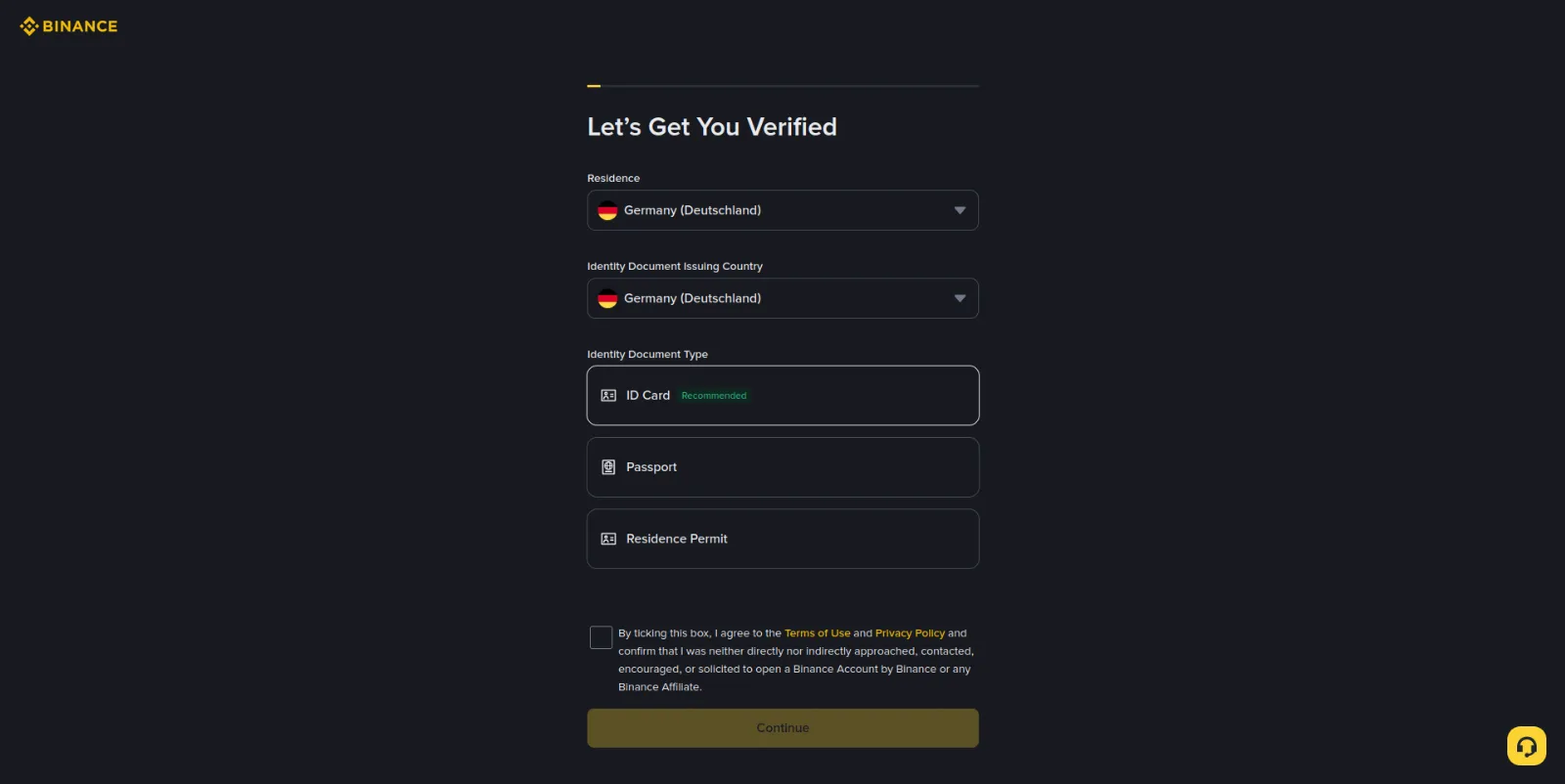
The screen asks for three things:
| Field | What to choose |
|---|---|
| Residence | The country you live in |
| Identity Document Issuing Country | The country that issued your document |
| Identity Document Type | ID card, passport, or residence permit |
Your country of residence and the country of your document do not have to match — that is a normal situation and the form allows it. Below them is the consent checkbox; without it the Continue button stays inactive.
What comes next is the check itself: uploading the document and taking a selfie. Those steps have their own chapter, "Identity verification (KYC)", along with the timings, the usual reasons for rejection, and the limits each verification level unlocks. What matters here is different: get the sign-up as far as this screen and do not close it halfway.
Binance
Opening an account takes a few minutes, and verification usually completes the same day.
Go to BinanceWhat to do right after signing up
Turn on two-factor authentication. This is the first thing worth doing on a new account, and it takes a couple of minutes. A password can leak sooner or later; the second factor is what stops a stranger from using it. That is exactly what the next chapter of the guide covers.
Do not put off verification. Documents are not checked by a robot in a second — there is a queue. Start the check straight away and it will be done by the time you want to fund the account.
Do not fund the account on the same day you first open the exchange. Work out where things are first: where the wallet is, where spot trading is, where the operation history lives. The money is not going anywhere, and a mistake made in an unfamiliar interface costs more than a day of waiting.
Common mistakes at this stage
Reaching the exchange from search results. Ads in the top positions regularly lead to copies of the site. Use a saved link, or check the domain with your own eyes every time.
An inbox you will not always have access to. A work address you lose along with the job, or a disposable one — both stories end the same way: recovery becomes impossible.
A password reused from another service. The most common and the most expensive mistake at sign-up. Somebody else's database leak turns into your money gone.
A lost referral code. Newcomer bonuses are attached at the moment the account is created. If you did not see the code on the first screen, start from a clean form by following the link again .
Verification abandoned halfway. An account without a confirmed identity exists, but it cannot do anything. Coming back to it a month later means working everything out from scratch.
This page contains affiliate links: if you sign up through them, the site earns a commission. It costs you nothing extra.